Black Friday30% off · BLACKFRIDAY30–d––h––m
VibePico
VibePico prompt collection

Mera Prompt for AI Photo Editing

Copy six Mera Prompt ideas for saree portraits, couples, Diwali, and cinematic selfies. Pick an example and try it on your photo in VibePico.

Saree photo prompts

AI-generated examples show the intended look.

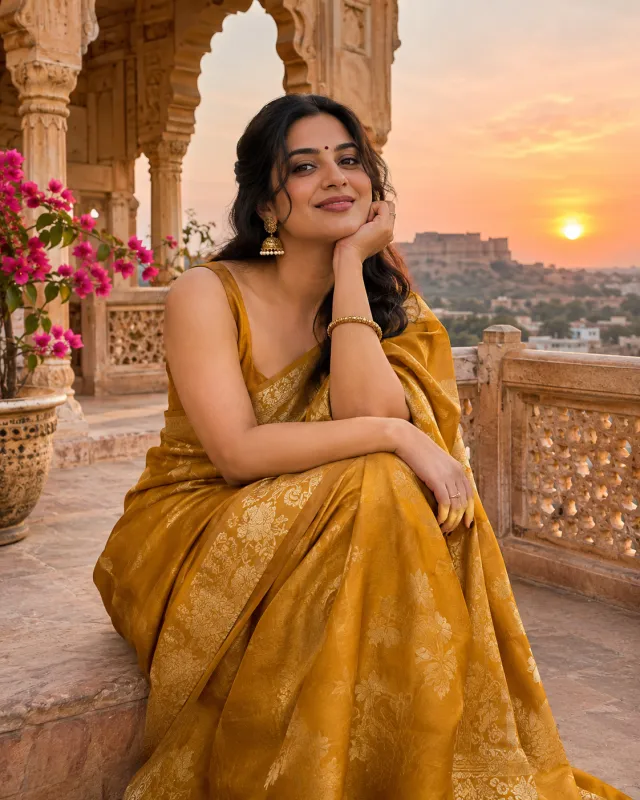
Golden-hour saree portrait, AI-generated example

Golden-hour saree portrait

One clear selfie

View prompt

Edit the uploaded selfie of an adult. Preserve their facial features, skin tone, and identity. Dress the person in a mustard-gold silk saree and place them on a sandstone terrace at sunset. Frame from the waist up, with soft rim light and realistic folds in the silk. Use a realistic 4:5 portrait composition. Avoid text, logos, celebrity likenesses, and heavy skin smoothing.

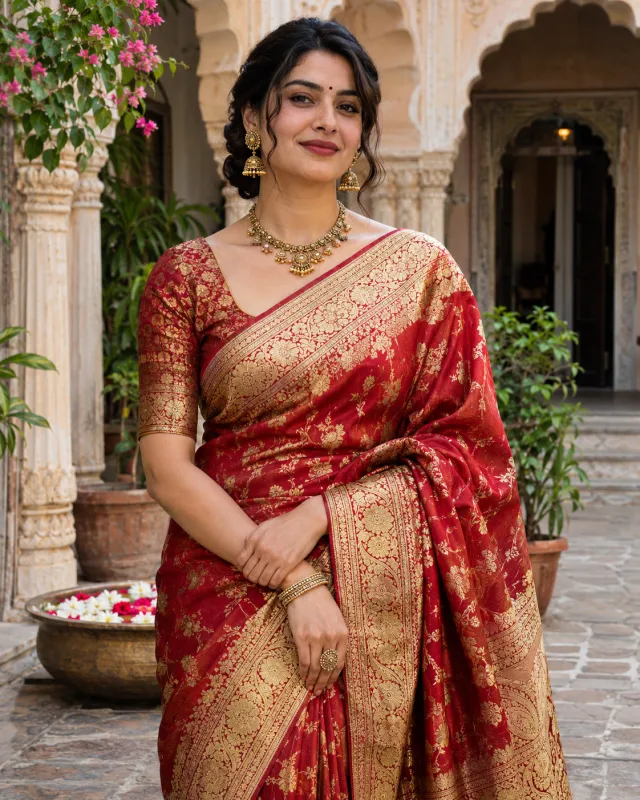
Red Banarasi saree portrait, AI-generated example

Red Banarasi saree portrait

One clear selfie

View prompt

Edit the uploaded selfie of an adult. Preserve their facial features, skin tone, and identity. Style the person in a deep red Banarasi silk saree with an antique gold border. Set the portrait in a heritage courtyard with carved stone and soft shade. Keep the weave and skin texture visible. Use a realistic 4:5 portrait composition. Avoid text, logos, celebrity likenesses, and heavy skin smoothing.

Couple photo prompts

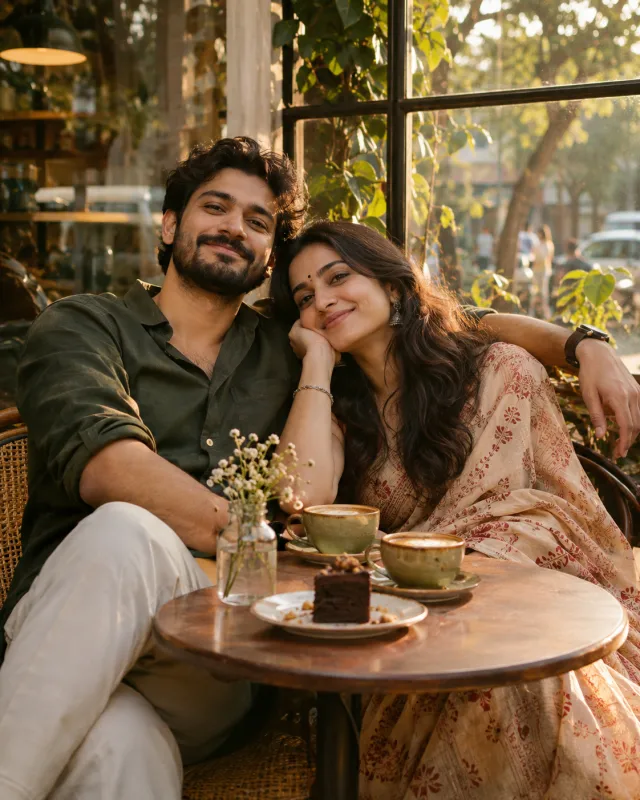
Café window date, AI-generated example

Café window date

One clear photo of both people

View prompt

Edit the uploaded photo of two adults. Preserve each person’s facial features, skin tone, and identity. Place the couple by a café window in late afternoon. Give them a relaxed, candid pose at a small table, with warm window light and subtle film grain. Keep both faces visible. Use a realistic 4:5 portrait composition. Avoid text, logos, celebrity likenesses, and heavy skin smoothing.

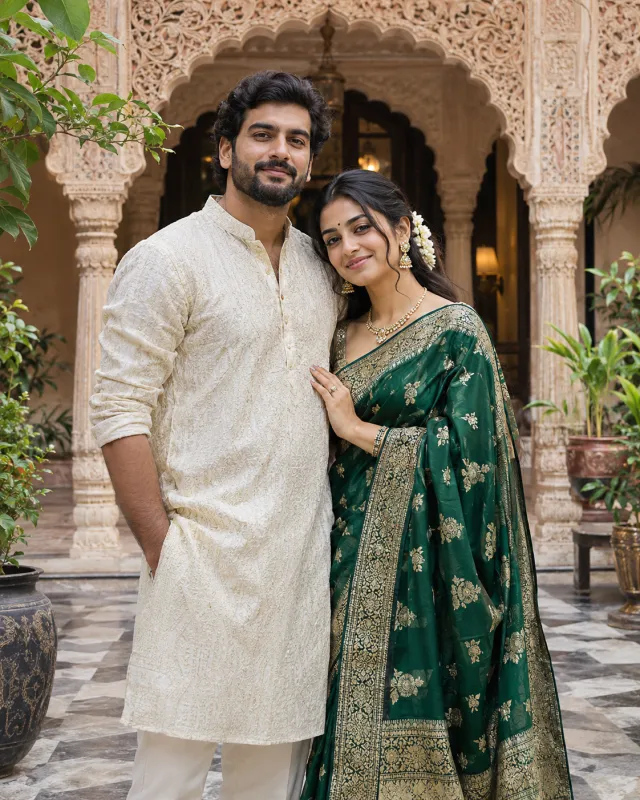
Traditional courtyard portrait, AI-generated example

Traditional courtyard portrait

One clear photo of both people

View prompt

Edit the uploaded photo of two adults. Preserve each person’s facial features, skin tone, and identity. Style the couple in an emerald saree and an ivory kurta, and place them side by side in a carved courtyard. Use soft directional light and keep both faces equally sharp. Use a realistic 4:5 portrait composition. Avoid text, logos, celebrity likenesses, and heavy skin smoothing.

Starting with separate selfies? Open the AI Couple Photo Generator.

Festival photo prompts

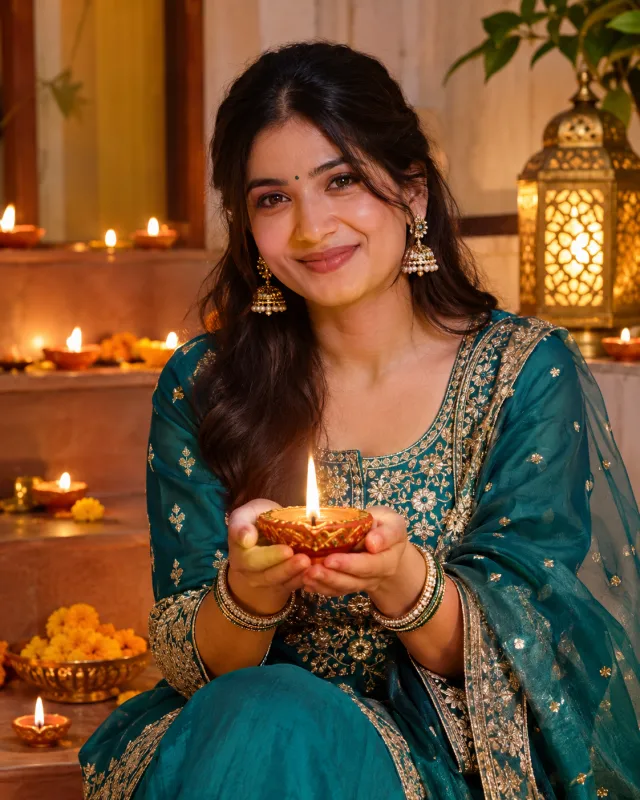
Diwali diya portrait, AI-generated example

Diwali diya portrait

One clear selfie

View prompt

Edit the uploaded selfie of an adult. Preserve their facial features, skin tone, and identity. Style the person in a teal festive outfit holding a small diya. Use rows of softly blurred lamps behind them and warm fill light so their face stays clearly visible. Use a realistic 4:5 portrait composition. Avoid text, logos, celebrity likenesses, and heavy skin smoothing.

Cinematic photo prompts

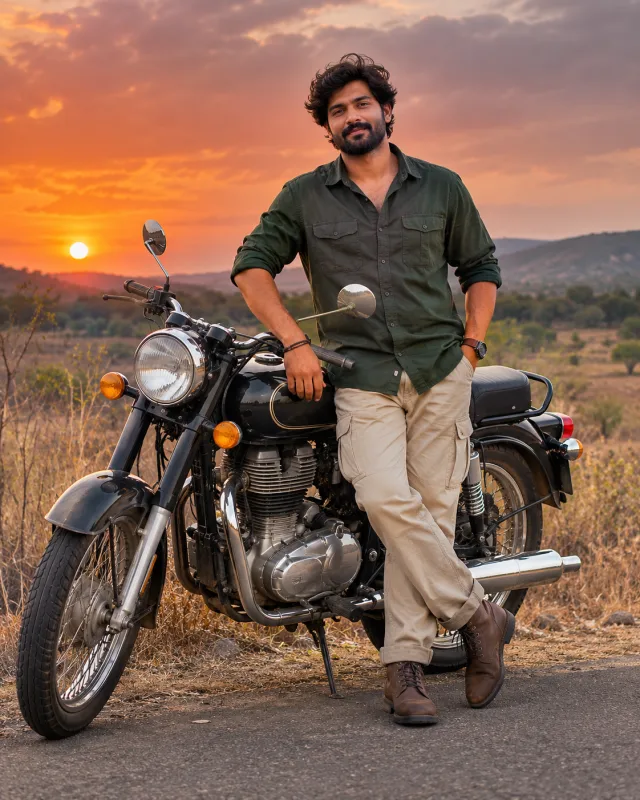
Sunset motorcycle portrait, AI-generated example

Sunset motorcycle portrait

One clear selfie

View prompt

Edit the uploaded selfie of an adult. Preserve their facial features, skin tone, and identity. Place the person beside a classic unbranded motorcycle on a dry roadside at sunset. Use a dark jacket, warm backlight, and a vertical editorial composition that keeps both the face and the motorcycle visible. Use a realistic 4:5 portrait composition. Avoid text, logos, celebrity likenesses, and heavy skin smoothing.

How to use these photo prompts

  1. Pick a look and prepare the photo described on its card.
  2. Copy the prompt into an image editor, or choose Try with my photo to open VibePico with the prompt filled in.
  3. Upload your photo, check the credit cost, and review the finished edit before sharing.

Mera Prompt FAQ

What is a Mera Prompt for photo editing?

It is a ready-to-copy instruction that tells an AI editor how to restyle an uploaded photo, from the outfit and setting to the lighting and crop.

How do I use a prompt in Gemini or ChatGPT?

Copy a prompt, upload the corresponding photo in a chat that supports image editing, and paste the prompt. You can adjust the outfit, lighting, or aspect ratio before submitting.

What photo should I upload for a couple prompt?

Use one clear photo with both people in the frame. If you only have separate portraits, use the linked AI Couple Photo Generator instead.

Will the edit keep my face the same?

Each prompt asks the editor to preserve your features and skin tone. Results can vary. Use a sharp, well-lit source photo and review the face before sharing.

Does it cost anything to copy or try a prompt?

Copying is free and requires no account. To create an edit in VibePico, sign in, upload your photo, and check the credit cost shown in the editor before generating.

Are the example photos real people?

The examples are AI-generated illustrations of each look with fictional adult subjects. Use photos of yourself or people who have agreed to the edit.

VibePico publishes this independent collection and has no affiliation with meraprompt.com or meraprompts.com.

Browse more photo prompts