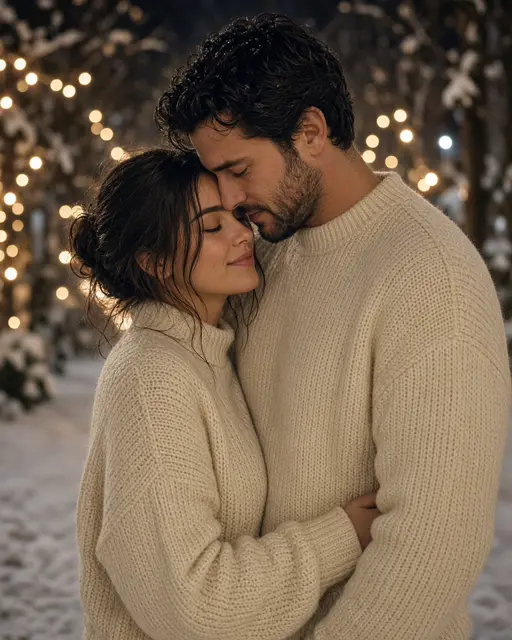
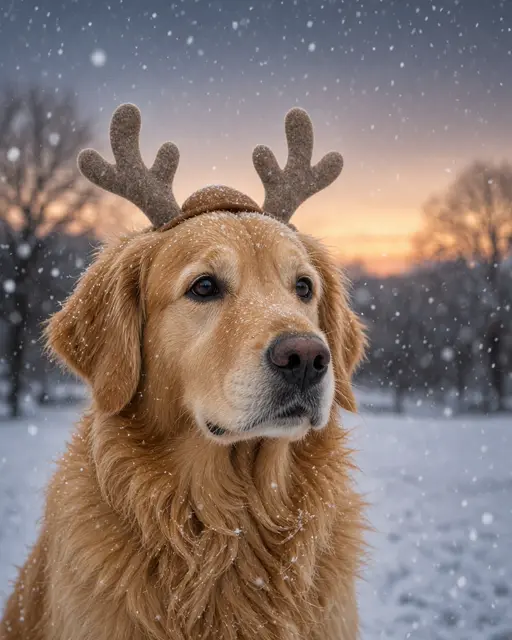

Pick the Santa filter
It is already selected on this page. The other Christmas looks are one click away in the picker.
Upload one selfie and get a warm Santa portrait with a full beard and red hat that still looks like you.
Santa filter: Red hat, white beard and fireplace glow on your own face.
10 creditsFree with sign-up · 1 watermarked photo · ~40 s
You · Add photo
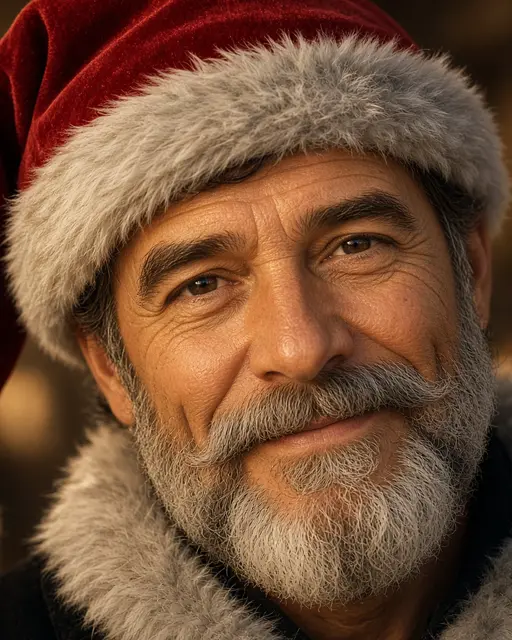 1 / 6
1 / 6Placeholder art — real VibePico examples are on the way
It is already selected on this page. The other Christmas looks are one click away in the picker.
A front-facing photo in good light works best. Keep your face uncovered so the likeness carries over.
The image is ready in about 40 seconds. Download it as a PNG or JPG and it also saves to My photos.
A Santa filter in a camera app lays a flat hat and beard over a live video feed, so it slides around when you move and your bedroom stays in the background. This AI Santa filter redraws one still photo instead. The hat sits on your head, the beard grows around your own jaw, and the room becomes a fire-lit Christmas scene with a softly glowing tree behind you.
Your eyes, skin tone and face shape come from your photo, so friends can tell it is you under the beard. That is what makes it work as a Christmas profile picture, a family group chat joke or the front of a homemade card.
You get the red velvet hat with white fur trim, the full white beard, the fur-collared coat, and warm fireplace light across the picture.
Your facial features, skin tone and age stay from the reference photo. The beard is added around your face rather than replacing it.
There are three common ways to get a Santa picture in December, and each one suits a different moment. A real costume is the most fun on the day, but it costs money, a fake beard rarely fits well, and you still need somebody to take a good picture. A camera effect is free and instant, though it only sits on top of your video and disappears when the clip ends. An AI Santa filter sits between them: it takes about 40 seconds, needs no costume, and leaves you with a finished image you can keep using all season.
The AI route also changes the whole picture rather than just your face. The lighting, the room and the coat are made to match, so the hat does not look pasted on. That matters most if you plan to print the image or use it as a profile picture, where a flat overlay looks cheap.
If you want a moving clip for a story, a live effect is the right tool, because this page only makes still images.
If everybody will be in the same room on Christmas Day, a real suit gives you a memory as well as a picture.
If you want one polished image today, from any decent selfie already on your phone, use the AI Santa filter.
A still Santa picture lasts longer than a story filter, because you can reuse the same file everywhere through December.
Choose Square 1:1 for a profile photo on WhatsApp, Instagram or a work chat for the holidays.
Make one of a parent or grandparent, with their permission, and send it to the family thread on Christmas morning.
If you want a child sitting next to Santa instead of being Santa, the AI Santa photo generator is built for that.
The beard covers your lower face, so the eyes and upper face do most of the work of keeping the picture recognisable.
Take off sunglasses and keep hair out of your eyes. This matters more here than in most looks.
Stand facing a window. Harsh overhead light leaves shadows that can make the likeness weaker.
Crop to one face. A group photo gives the filter no clear subject to work from.
It works on one uploaded photo and gives you a still image. It does not run on a camera or on video.
AI redraws the whole picture, so small details may differ from your photo. Check the result before you share it.
Use your own photo, or get permission from the person in it. A parent or guardian must consent for a child.
A new account gets 10 free credits, which make one watermarked 1K image. After that each image costs 10 credits and comes out at 2K with no watermark; paid plans can make 2 or 4 variations at once. If an image fails on our side it is retried once and then the credits are refunded automatically.
Yes. It keeps your age and features and adds the Santa costume and beard around them, so the result is a playful costume portrait of you rather than an older stranger.
Instagram and Snapchat filters track your face live but leave your real background in place. This one makes a finished still picture, with the room and lighting redrawn around you.
Yes, if he is happy for you to do so. Upload one clear photo of him and tick the permission box before you generate.
Pick Story 9:16, Portrait 4:5, Square 1:1 or Landscape 16:9 before you generate. Each finished image can be downloaded as a PNG or a JPG.
Uploads are private and used only to make your picture. Uploaded photos are deleted after 24 hours. Results stay in My photos until you delete them, and you can delete either at any time.
Tools, trends, prompts and scenes that go with this page.