Black Friday30% off · BLACKFRIDAY30–d––h––m
VibePico
Photo trend · 9:16 lock screen

Couple Eyes Wallpaper

Put one eye from each of you on the same lock screen. Add two photos, line up the crops, and save a 9:16 wallpaper.

1 Wallpaper style
Split eyes

One eye on each side, from two photos.

Selected
2 Add two photos0 / 2
Left eye · Add photoJPG, PNG or WebP
Right eye · Add photoJPG, PNG or WebP
3 Output options
Aspect ratio

Default 9:16 · ★ Suggested for lock screens

Output
×1 PNG1080 × 1920 px

0 creditsFree browser export · Photos stay on your device

Add both photos to download

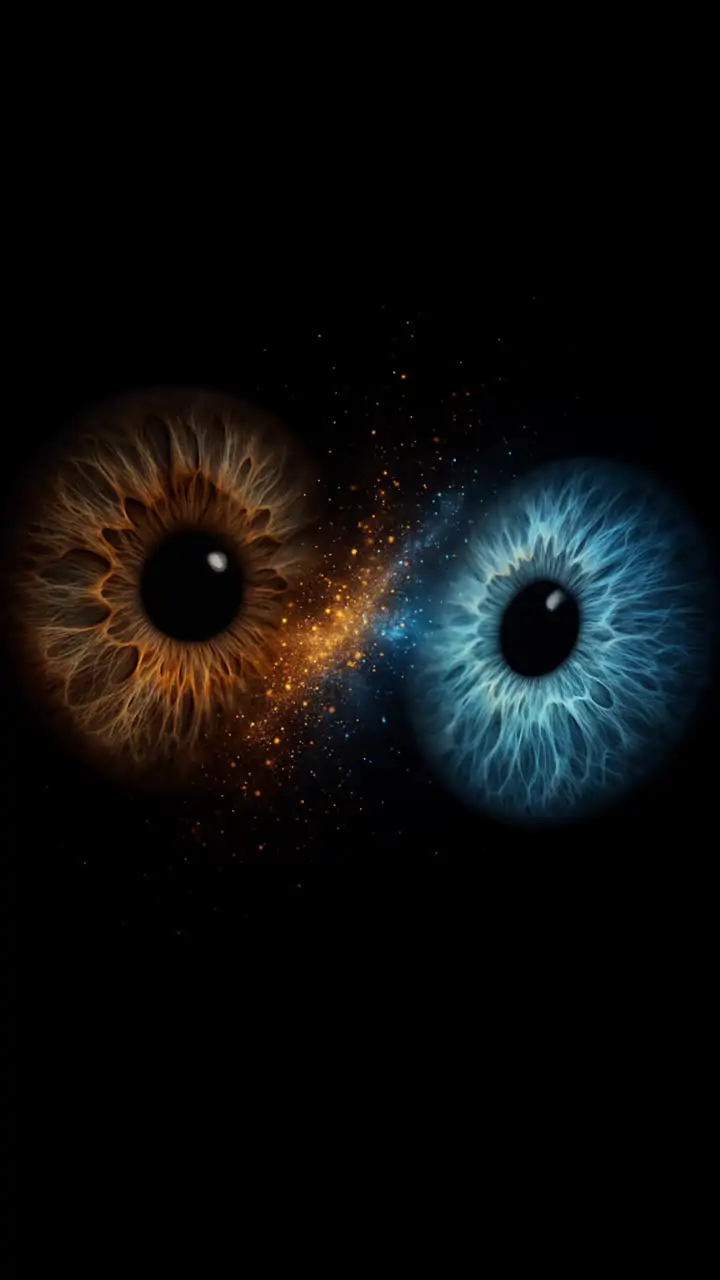
Couple eyes wallpaper inspiration with amber and blue irises on blackSAMPLE IMAGE
Stardust iris sample9:16 inspiration · Source: Videosi

How to make a couple eyes wallpaper from two photos

Choose two close-up photos

Add one photo of each person, with an open eye clearly visible. The first photo goes on the left and the second goes on the right. If the originals are full-face selfies, start with the sharper shot for each person. A little room around each eye gives you more space to move the crop.

Line up one eye on each side

Use the horizontal and vertical controls to move the photo inside its half. Increase zoom if the other eye is still visible. Compare the two pupils in the preview, then adjust each side until the pupils sit at about the same height and the visible parts of both eyes feel similarly sized.

Download your 9:16 lock screen

Download the preview as a 1080 × 1920 PNG. Open the file in your phone’s wallpaper picker and check how the clock and notifications sit over the image. If the phone zooms to fill its display, check both outer edges before you confirm the wallpaper.

What makes a good couple eyes lock screen?

A couple eyes wallpaper is easiest to read when both eyes have a clear shape at phone size. Look at the preview from a little farther away than you would when editing. The eyelids and pupil should still stand out. Small changes in framing usually make a bigger difference than additional zoom.

Match light and angle

Take both photos facing the same kind of light, such as a window on a cloudy day. If the light catches one eye from the left and the other straight on, try switching sides or choosing a second photo with a similar catchlight. Tilted faces can make two aligned pupils look uneven, so check the angle of the eyelids as well.

Check the center seam

Move each eye a little away from the center seam. Leaving a narrow strip of skin or shadow between the eyes gives each side a distinct edge. If there is still a second eye at the outside edge, try a tighter crop before adding more zoom to the other photo.

Make room for the lock-screen clock

Place the eyes below your clock if you want both to remain visible. Moving both photos vertically by a small amount can help. Some phones crop the sides of a 9:16 PNG to fill a taller screen, so keep the pupils clear of both outside edges and check the result in the phone’s wallpaper picker.

Couple eyes wallpaper AI prompt example

The reference sample shows two isolated irises and a dust-like glow. To explore that look in an image editor that accepts two reference photos, start with a clear description of what each reference supplies and where each eye belongs. Image models may change fine iris details, even when asked to preserve them.

Prompt for a dark iris lock screen

Use one iris from the first reference on the left and one iris from the second reference on the right. Keep each iris color and pattern tied to its own reference. Frame the two eyes at matching size on a black 9:16 background. Add faint warm and cool particles between them, with open space above for a lock-screen clock. Keep text and phone graphics out of the image.

Browse more photo trends

Explore other VibePico photo trends if you want a different composition for your next photo. The browser editor on this page keeps the pixels from the two photos you choose, so the sample is inspiration for placement and color.

Couple eyes wallpaper FAQ

What aspect ratios can I download, and how many credits does it cost?

Choose Story (9:16), Portrait (4:5), Square (1:1), or Landscape (16:9). Story is the default for lock screens. Each download saves one PNG in the selected size and uses 0 credits.

What is a couple eyes wallpaper?

It is a phone wallpaper that shows one eye from each person in a single vertical image. A common layout gives each person one side of the frame. Other looks, like the credited sample above, use isolated irises on a dark background.

Do I need a couple eyes wallpaper AI prompt?

You can make the split-photo version here by placing and zooming your photos manually. An AI prompt is for a stylized edit, such as isolating the irises and adding a stardust effect. The prompt example on this page is separate from the crop editor.

Can we use one photo of both of us?

Yes. Select the same file in both fields and adjust each crop independently. This works best when both eyes are in focus and far enough apart to frame one per side. A close-up of each person gives you more room to control framing.

Are my eye photos uploaded?

The browser reads both files locally and assembles the PNG on the device. Use photos you have permission to edit and share. Keep the downloaded copy somewhere private if you only intend to use it as your lock screen.