

Upload a waist-up selfie
A photo that shows your shoulders gives the armor somewhere to go.
Upload a selfie and get a side-by-side reveal: the everyday you, then your armored dark-fantasy self.
Dark-fantasy before / after: A side-by-side reveal: everyday you, then the dark-fantasy version.
10 creditsFree with sign-up · 1 watermarked photo · ~40 s
You · Add photo
 7 / 12
A photo that shows your shoulders gives the armor somewhere to go.
This page preselects it. Pick Landscape (16:9) for the clearest split.
About 40 seconds later you have the split image, ready for a carousel or a post.
The before-and-after transformation is one of the most shared AI photo formats: two halves of one image, the same person and pose, ordinary on one side and transformed on the other. This dark fantasy AI photo makes that split in one step.
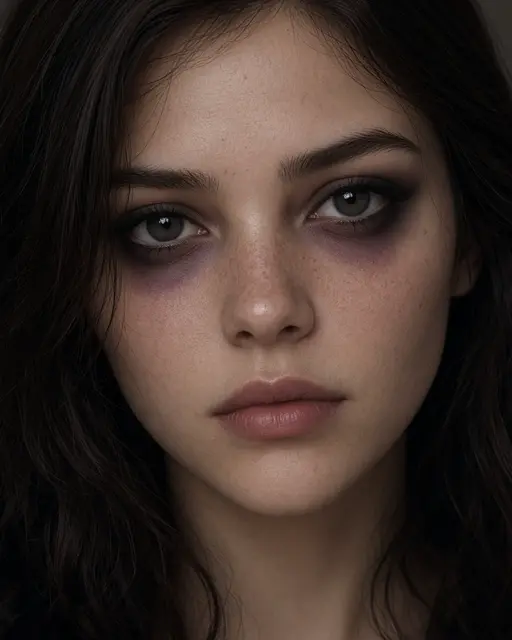
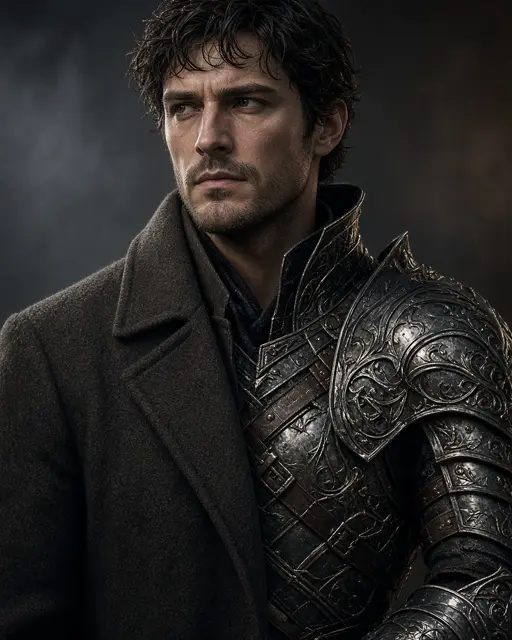
On the left you are in a casual daytime photo. On the right you wear ornate black armor and a tattered cloak, with glowing eyes and a stormy gothic castle behind you. A clean vertical line divides the two, and your face and pose match across both halves so the reveal reads instantly.
The before and the after are generated together, so pose and framing match.
Black armor, a torn cloak, glowing eyes and a gothic castle in a storm.
The split works best wide. Landscape (16:9) gives each half room.
Post the split as one image, or crop it into two and swipe from before to after.
Crop the right half for a character portrait that still looks like you.
Everyone makes their own and you vote on the scariest.
The more ordinary the starting photo, the bigger the reveal.
Matching pose across both halves is easier from a straight-on photo.
Head-only crops leave little space for the armor.
The left half is a new picture of you, not your original upload pasted in.
The split is designed for one person.
Armor and castle are part of the look. You cannot choose elves or sci-fi.
No. Both halves are generated so the pose and framing match. The left half is an everyday-style version of you.
Landscape (16:9) shows the split most clearly. Story (9:16) stacks less naturally and can squeeze each half.
A new account gets 10 free credits, which make one watermarked 1K photo. After that each photo costs 10 credits and comes out at 2K with no watermark; paid plans can make 2 or 4 variations at once. If a photo fails on our side it is retried once and then the credits are refunded automatically.
Uploads are private and used only to make your picture. Uploaded photos are deleted after 24 hours. Results stay in My photos until you delete them, and you can delete either at any time.
Tools, trends, prompts and scenes that go with this page.