Add your outfit photos
One full-body photo, head to shoes, face clear. Add a second photo of the same person in another outfit and the seven poses split 4 + 3.
Upload one or two outfit photos and get a fashion lookbook of you in seven poses, shot like a brand campaign.
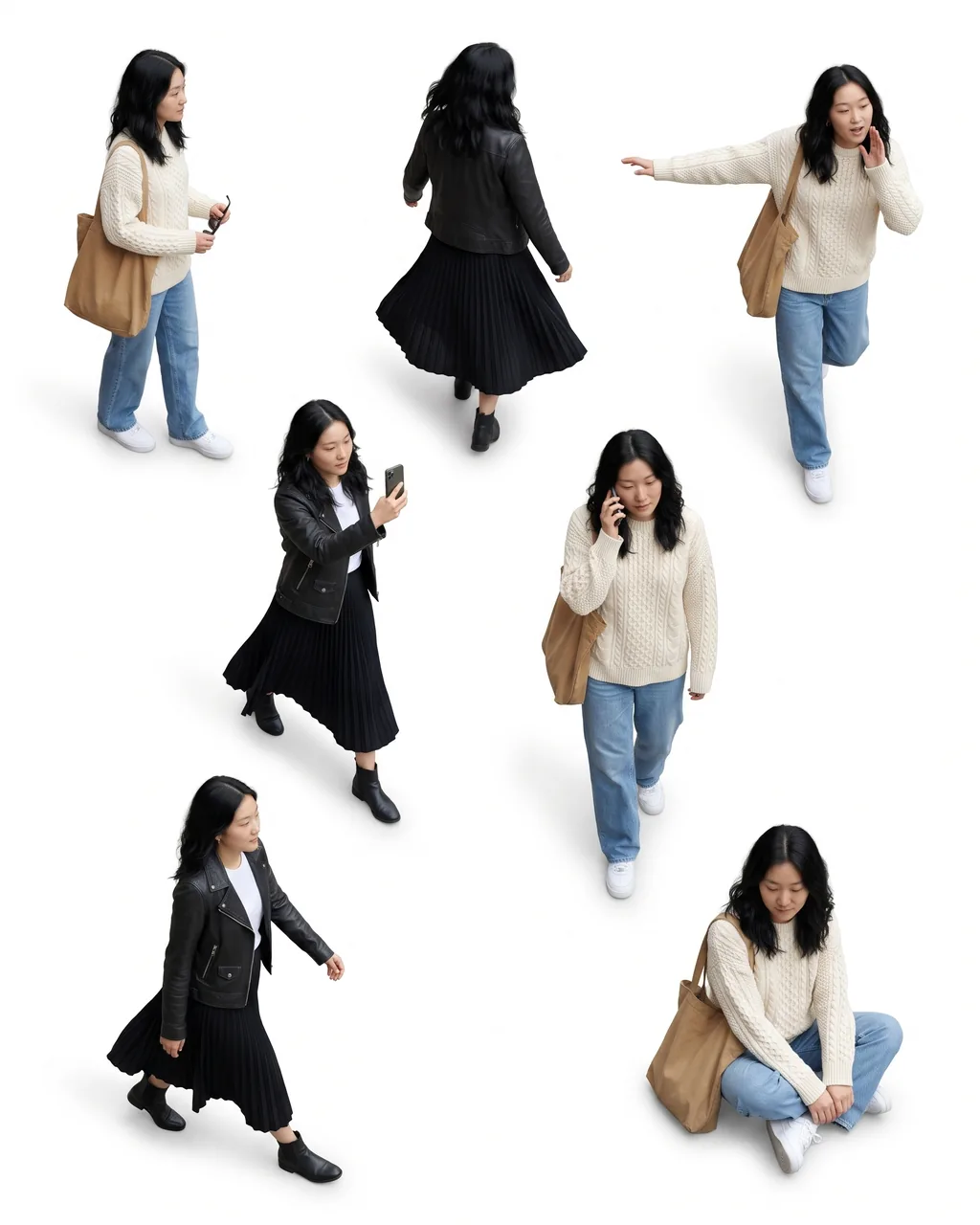
Overhead flat-lay: Seven of you seen from above on pure white, scattered 3 · 2 · 2.
10 creditsFree with sign-up · 1 watermarked photo · ~40 s
Outfit 1 · Add photo
 1 / 2
One full-body photo, head to shoes, face clear. Add a second photo of the same person in another outfit and the seven poses split 4 + 3.
Overhead flat-lay on pure white, like the viral Instagram prompt, or a clean studio grid on light grey.
It takes about a minute. Check every face and outfit; to swap a pose or the background, type it in the prompt box under the preview and generate again.
A lookbook is how a fashion brand shows one outfit from several angles. The trend version puts seven of you on one page: the same face and the same clothes in seven different poses. It took off on Instagram in late October 2026 with a long overhead flat-lay prompt; this page runs that idea without the prompt.
Seen from directly above on seamless white, scattered 3 · 2 · 2. Poses: Phone selfie mid-walk; Walking away, back view; Side profile with sunglasses; Walking left, arms swinging; On a phone call; Arm out, head turned; Sitting, looking down.
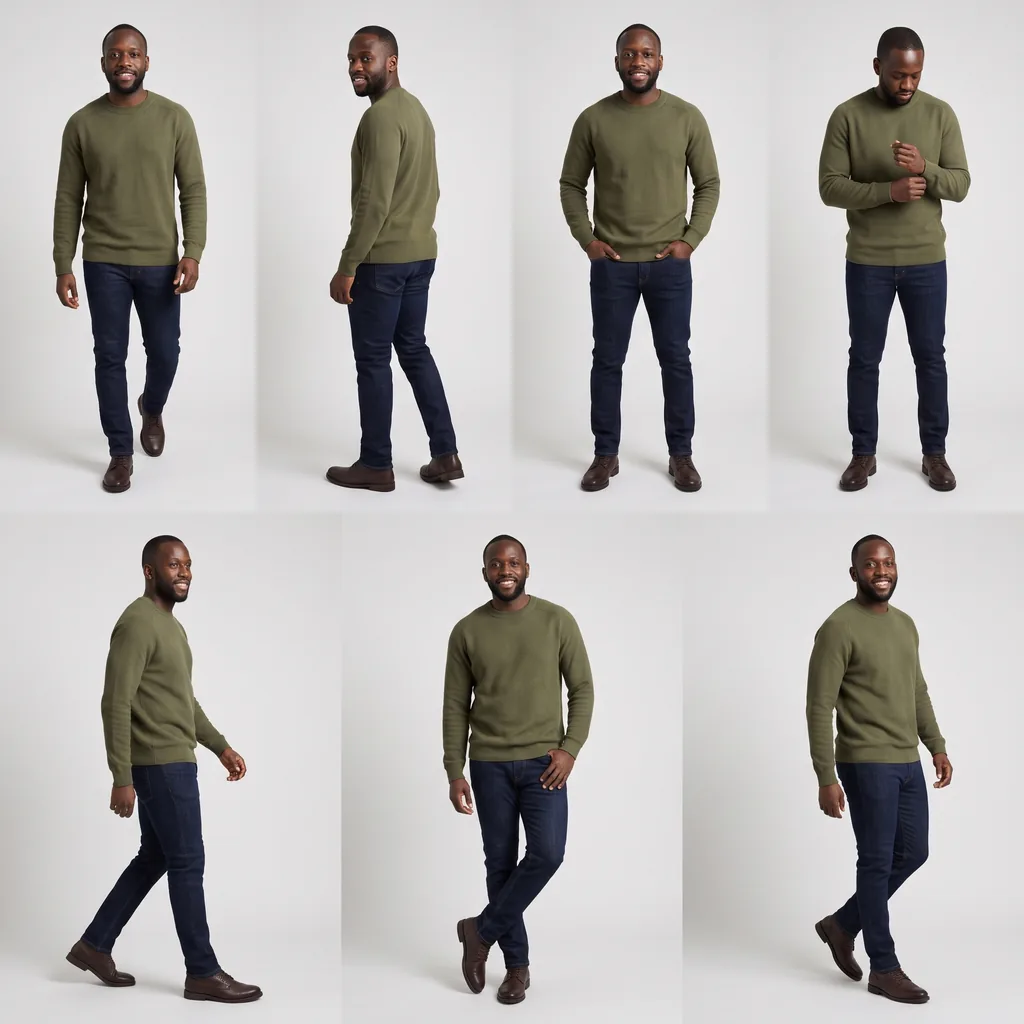
Light-grey studio paper, 4 over 3, every figure at the same scale. Poses: Walking toward the camera; Looking back over the shoulder; Hands in pockets; Adjusting a cuff; Mid-stride side view; Leaning, one foot crossed; Turning with a smile.
All seven figures wear exactly the outfit in your photo.
Same person, two outfits: four figures wear the first, three wear the second.
If a photo cuts off your shoes or trousers, simple matching pieces fill in. Show the whole outfit for the closest match.
A full-body photo lets every garment carry over. Mirror selfies work if the phone does not hide the outfit.
Seven small faces are harder than one big one. A sharp, well-lit face without sunglasses helps them all look like you.
The lookbook is one person. Crop other people out and use photos of yourself or with permission.
Figures seen from above or looking down are small, so a face may not match in every pose. Check each one; to change a pose, describe it in the prompt box and generate again.
Each style has seven set poses. To change one, describe it in the prompt box under the preview.
Couples and groups are not supported on this page.
One adult, head to shoes, the whole outfit visible and the face clear in good light. A mirror selfie is fine if the phone does not hide the outfit.
Yes. Add a second photo of the same person in another outfit; four poses wear the first outfit and three wear the second.
Every figure is asked to keep your face, hair, skin tone and body shape. Small faces seen from above can drift, so check each pose before you share.
A per-pose face check is in testing and not switched on yet. For now, compare the faces yourself and generate again if a pose is off.
Yes. Type your own direction in the prompt box under the preview, like a city street background or a coffee-cup pose, and it is added to the tested lookbook recipe on your next Generate. It costs the same 10 credits per lookbook.
A new account gets 10 free credits, which make one watermarked 1K lookbook. After that each lookbook costs 10 credits and comes out at 2K with no watermark; the cost shows on the button before you generate. If an image fails on our side it is retried once and then the credits are refunded automatically.
Pick Portrait 4:5, Square 1:1, Story 9:16 or Landscape 16:9 before you generate. Portrait suits the flat-lay; square suits the studio grid.
Uploads are private and used only to make your picture. Uploaded photos are deleted after 24 hours. Results stay in My photos until you delete them.
Tools, trends, prompts and scenes that go with this page.