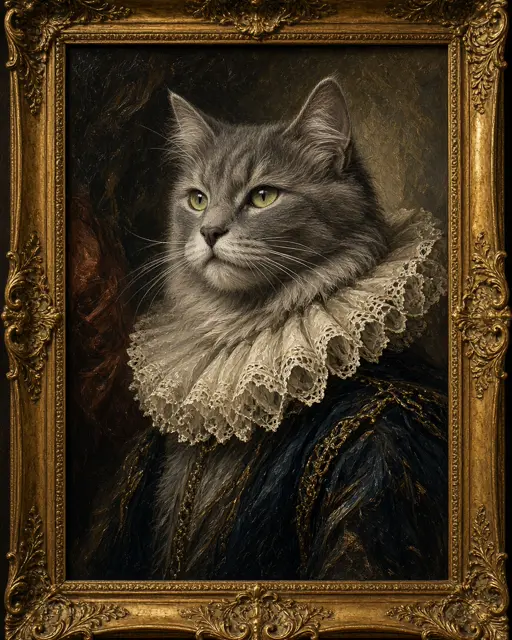
Keep Pet reindeer selected
This look takes one photo of one pet, a dog, cat or other furry friend.
Upload one picture of your dog or cat and get a snowy reindeer portrait for the holidays.
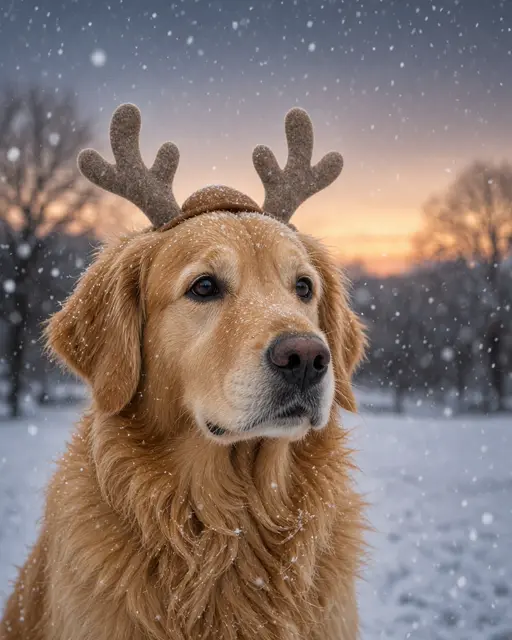
Pet reindeer: Felt antlers and falling snow, with fur and markings kept.
10 creditsFree with sign-up · 1 watermarked photo · ~40 s
Pet · Add photo
 4 / 6
4 / 6Placeholder art — real VibePico examples are on the way
This look takes one photo of one pet, a dog, cat or other furry friend.
Get down to their eye level and use daylight. A sharp face matters more than a perfect pose.
It takes about 40 seconds. Square works well for social posts and Portrait for printing.
Getting a dog to wear antlers for a photo is hard, and getting a cat to do it is usually impossible. This AI pet Christmas photo skips that part. Upload one clear picture of your pet and the generator puts soft felt reindeer antlers on them, then sets them beside a wooden sleigh in gently falling snow at dusk.
The generator is told to preserve breed, fur color, markings and face, because a pet picture only works if it is obviously your pet. A white patch on the chest or one floppy ear is what makes the image yours.
Your pet gets the antlers, and the background becomes a snowy evening with a warm glow on the horizon.
Breed, coat color, markings and face all come from your picture.
Pet studios and shopping-center Santa events run through November and December, and they can make lovely pictures. They also mean a trip, a queue, an unfamiliar room and an animal that may not be in the mood. Nervous rescue dogs and most cats have little interest in the idea. An AI pet Christmas photo starts from a picture you took at home, so your pet never has to wear anything or go anywhere.
Doing it yourself with a real antler headband is the other common choice, and it can work for a patient dog. You still need good light, a helper and a lot of treats, and the snowy background is out of reach unless you live somewhere cold. Here, the setting comes with the picture: a wooden sleigh in gently falling snow at dusk, with a warm glow on the horizon.
The result is a single picture rather than an album, so it suits a card, a phone wallpaper or a post. It also works for pets who are no longer with you, as long as you have one clear photo of them. Many owners choose this for an older animal who should not be stressed by a studio trip, and it costs far less than a professional session. If you have several pets, make one picture for each and post them as a set.
Nothing goes on your pet’s head, and nobody has to leave the house.
You get a snowy scene even if December is warm and green where you live.
Pets often end up as the star of the family’s Christmas post, and this gives them a proper portrait.
Send greetings from the dog with the AI Christmas card generator.
Want your pet beside the family? The AI pet portrait tool brings people and pets together.
For cozy living rooms and snowy family scenes, open the AI Christmas photo generator.
Pets rarely hold still, so take a burst of shots and choose the sharpest one.
Hold a treat beside your phone to get your pet looking toward the camera.
Pick a photo that shows the patches and colors you want to keep.
Crop out other animals so the generator has one clear subject.
This look takes one pet and no people. Make a separate picture for each pet.
AI can simplify complicated patterns. If a marking comes out wrong, try a clearer photo.
No real antlers were involved, so please do not tell your cat.
A new account gets 10 free credits, which make one watermarked 1K image. After that each image costs 10 credits and comes out at 2K with no watermark; paid plans can make 2 or 4 variations at once. If an image fails on our side it is retried once and then the credits are refunded automatically.
Yes. It works from a clear photo of a dog or cat, and from other pets with a recognisable face.
The generator is told to keep breed, fur color, markings and face. A sharp, well-lit photo gives the closest match.
This look takes one pet. The AI pet portrait tool handles more than one subject.
Pick Story 9:16, Portrait 4:5, Square 1:1 or Landscape 16:9 before you generate. Each finished image can be downloaded as a PNG or a JPG.
Uploads are private and used only to make your picture. Uploaded photos are deleted after 24 hours. Results stay in My photos until you delete them, and you can delete either at any time.
Tools, trends, prompts and scenes that go with this page.