Add a photo of your house
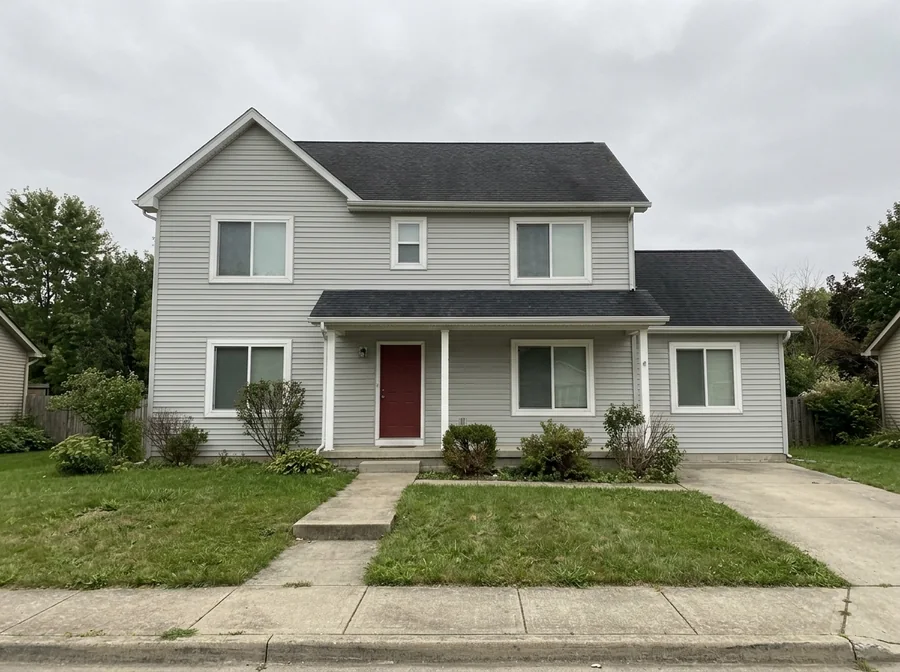
The front of the house from the street or the driveway, the whole roof in frame. A normal daytime phone photo works best.
Upload one photo of your house and get it buried in Christmas lights, with a giant inflatable Santa on the roof. Text it to Dad and save his reply.
Christmas lights prank: Your house buried in lights and a giant Santa, made to text to Dad.
10 creditsFree with sign-up · 1 watermarked photo · ~40 s
Your house · Add photo
 7 / 7
 ↔OriginalAI result
The front of the house from the street or the driveway, the whole roof in frame. A normal daytime phone photo works best.
The Christmas lights prank look is already selected. Press Make my photo and your over-the-top version is ready in about a minute.
Download it, send it with one calm line such as “the lights guy is done”, screen-record the replies, then tell them it was AI.
The AI Christmas lights prank is the holiday version of the AI text prank on TikTok. You take an ordinary photo of your own house, turn it into a house that is absurdly covered in Christmas lights, and text it to your dad or mom as if the decorating crew had just finished. Their replies are the joke: the post usually opens on the photo and then plays the chat, under tags like #aiprank and #textprank.
The version that made it a format was posted on 27 October 2026 by the creator @steve.pranks, captioned that the decorations guy went too far: the family house lit up from the gutters to the chimney with a huge Santa waving from the roof. By 10 November it had about 2.7 million views on TikTok. This page makes that photo from your house, so the person you text recognises the place at once.
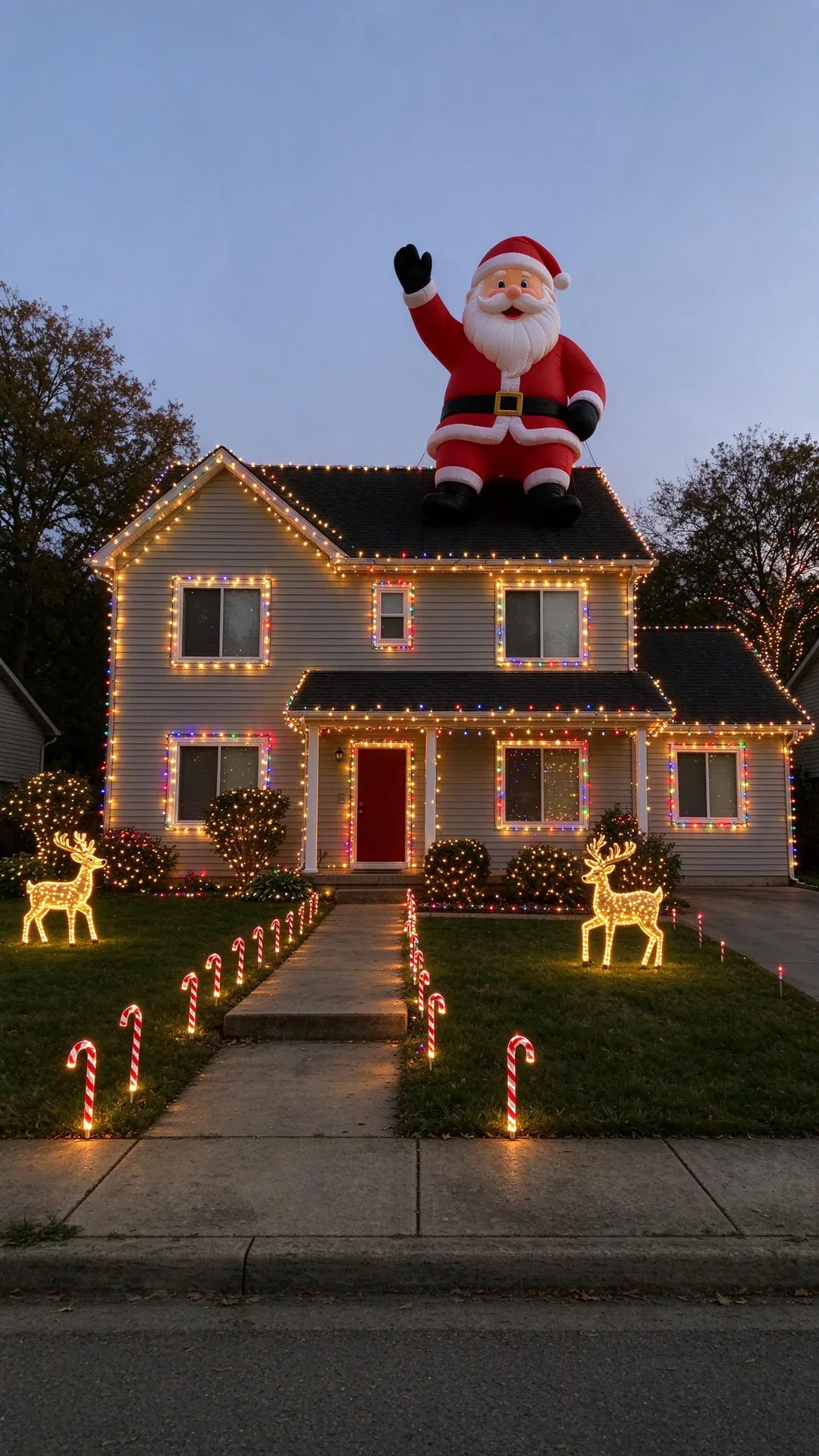
Thousands of string lights on every roofline, window and shrub, light-up candy canes along the path, lit reindeer on the lawn, and one inflatable Santa that is far too big for the roof, at early evening.
Your house: the same roof, windows, doors, siding, garage, trees and street, from the same camera angle, so it still looks like a normal phone photo of home.
There are three reasons people put AI Christmas lights on a house photo, and they want different results. A real display costs money, ladders and an electric bill, and nobody hangs thousands of lights just for a joke. A design preview has to look tasteful and buildable, because you might show it to an installer. A prank photo is the opposite: it has to look real enough to fool your family for a few messages, and ridiculous enough that the reveal is funny.
That is why this page is tuned differently from our Christmas lights house preview. The prank version deliberately overdoes it, adds the giant Santa and keeps the plain look of a phone photo instead of a glossy holiday card. If you actually want to plan your own display, use the preview page instead.
See tasteful warm-white, retro C9 or snowy-night lights on your own house before you buy anything with the AI Christmas lights on house preview.
Stay on this page for the wildly overdone version that reads like the crew lost control of the job.
If the whole street is in on a decorating contest, nothing beats the real thing. This page only makes a still photo.
The best posts in the trend build up slowly. The first message is small and believable, the second makes it worse, and only then does the full photo arrive. Keep your own messages short and calm, and let the other person do the shouting.
Tell him the lights guy offered a “small upgrade”, then send the photo with “he says it was a free extra”.
Send the photo and follow up with an invented power bill. Reveal it before she phones the utility company.
Text the family group chat that you entered the street competition, and that the inflatable Santa needed a permit.
The prank only works if the house is obviously yours, so the starting photo matters more than any setting on this page.
Take it yourself from where your family usually sees the house. An old listing photo or a screenshot gives the joke away.
The lights and the Santa sit on the roofline, so leave some sky above it and stand far enough back to fit the garage.
No filters, no night mode and no portrait blur. A slightly boring daytime photo becomes the most believable evening shot.
The trend grew up next to the 2025 “AI homeless man” prank, where a stranger was edited into a family home and parents called the police. This page stays on the harmless side on purpose.
It adds decorations only: no fire, damage, police cars, intruders or added people. Always reveal the joke before anyone spends money or calls for help.
It makes one image per run, not the chat video. Record the replies with your phone’s screen recorder and post that.
Use a photo of a house you live in or have permission to use, and prank people who will laugh about it afterwards.
A new account gets 10 free credits, which make one watermarked 1K image. After that each image costs 10 credits and comes out at 2K with no watermark; paid plans can make 2 or 4 variations at once. If an image fails on our side it is retried once and then the credits are refunded automatically.
It is a TikTok text prank: you edit a real photo of your house with AI so it is buried in Christmas lights, text it to a parent as if it really happened, and post their replies. It is part of the #aiprank and #textprank house-upgrade wave that took off in October 2026.
It is told to keep your roofline, windows, doors, siding, garage, trees and camera angle, and to change only the lights, decorations and time of day. Check the result and run it again if something moved; each run is a little different.
No. It runs in your phone or computer browser. Save the photo and send it from your normal messages app, then screen-record the chat.
You can, but a daytime photo usually works better: the house details are sharper, and the result is set at early evening so every light glows.
From creators texting AI-edited photos of their own homes to their parents. The best-known Christmas version is by @steve.pranks on TikTok (27 October 2026). VibePico is not affiliated with TikTok, @steve.pranks or any prank app.
Pick Story 9:16, Portrait 4:5, Square 1:1 or Landscape 16:9 before you generate. Each finished image can be downloaded as a PNG or a JPG.
Uploads are private and used only to make your picture. Uploaded photos are deleted after 24 hours. Results stay in My photos until you delete them, and you can delete either at any time.
Tools, trends, prompts and scenes that go with this page.