How to Colorize Black and White Photos With AI
How to colorize black and white photos with AI: choose a clean scan, repair damage in the same pass, check skin and clothing, and know which colors are guesses.
Your grandmother's childhood photo is grey. You know her dress was not grey, but nobody remembers its color anymore. This guide shows how to colorize black and white photos with an AI colorizer: which file to start from, which repairs to run at the same time, and how to tell the colors the model saw from the colors it guessed.
The steps use VibePico's colorize photos tool. The advice on checking colors applies to any colorizer.
How to colorize black and white photos: the short version
- Start from the sharpest scan or phone photo of the print you have.
- Upload it with colorization switched on, plus any repairs the print needs.
- Check the 10-credit fee and start.
- Use the before/after slider to check skin, hair, clothing and background.
- Label the result as colorized when you share it.
The sections below explain each step.
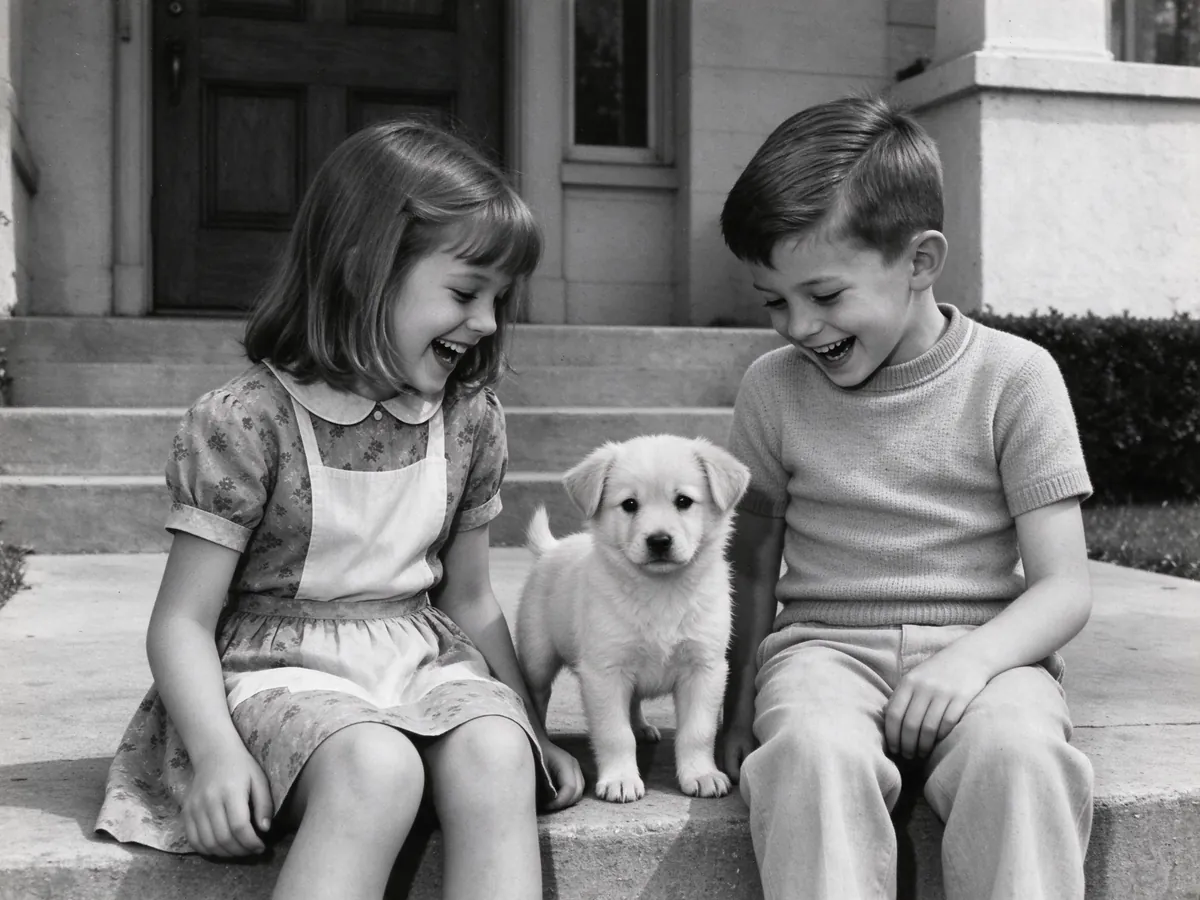
The cover image of this guide is the colorized version of this photo.
Step 1: Pick the best black-and-white source
A colorizer reads light and shade. The more grey tones it can see, the more natural the colors come out.
What makes a good source
- a sharp print or scan with a full range of greys, from deep black to clean white;
- even light, with no glare from glass or album plastic;
- faces large enough to show eyes and mouths clearly.
Very dark prints and blown-out ones come back muddy or flat. If the print is scratched, the scratches can get colored as if they were part of the scene, so plan to repair them in the same pass.
Sepia and faded prints count too
Sepia, brown and yellowed prints are treated as monochrome. If the print has lost contrast, switch on faded tone recovery as well.
The tool takes JPG, PNG, WebP and HEIC files up to 10 MB. The Library of Congress page on digitizing library materials is a good reference if you are scanning a whole album.
Step 2: Choose colorization and any repairs
On the colorize photos page, colorization starts switched on. You can add three repairs to the same edit:
- scratches and tears;
- faded tone recovery;
- blurry face sharpening.
One edit runs every option you selected for the same 10 paid credits. There is no extra charge for colorization. The free signup preview credits do not cover photo edits.
If the photo should stay black and white, you want restoration without color instead. The guide on how to restore old photos covers that case.
Step 3: Start the edit
Sign in, confirm you have permission to edit the photo and check the fee on the button. Most edits finish in under a minute, and the result is saved to My photos if you leave the page. If the generation fails on the provider side, the credits are returned.
Step 4: Check which colors were seen and which were guessed
A black-and-white photo does not record color. The model adds tones that fit the light and the era, but it cannot look anything up. So the check is about telling likely colors from guesses.
Colors you can usually trust
Grass, trees and sky get the colors you would expect. Skin tones are based on the light and contrast in the photo, so they are usually plausible.
Colors that are guesses
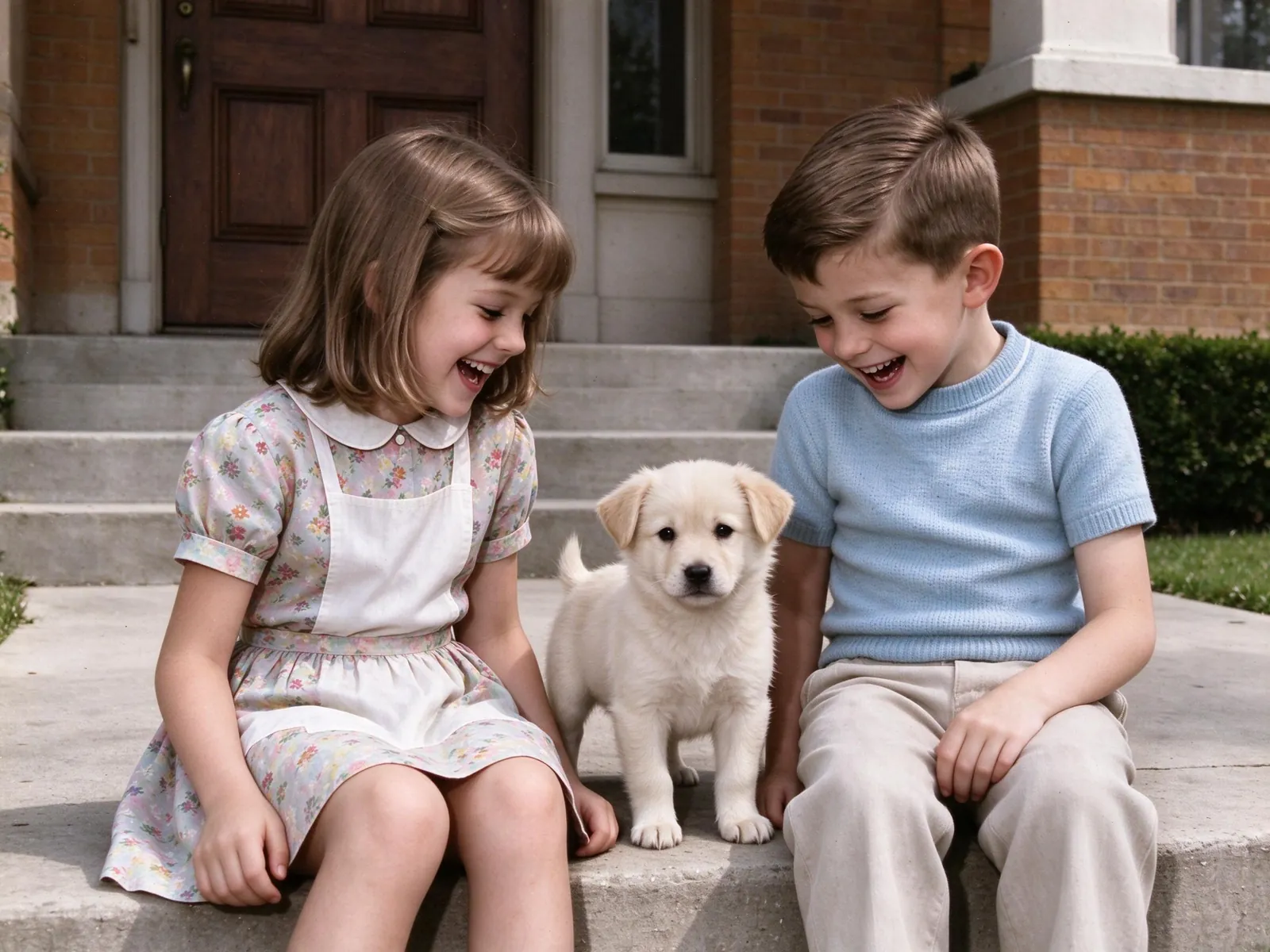
In our example, the girl's dress became a pale floral print with a white apron, the boy's sweater turned light blue and the grass and hedge turned green. That all looks right. But the wall behind the children was a plain light surface in the original, and it became red-brown brick. The door became dark red wood. Nothing in the black-and-white photo says those colors are correct.
Eye color is the least reliable part. A grey iris looks the same whether it was blue, green or brown. Hair can also come out different from what the family remembers.
What should not change
The children's expressions, poses, the puppy and the framing match the original. Compare these first, then look at the colors.
When not to trust an AI colorizer
- Uniforms, flags and insignia. For military or historical work, a human colorist can research the real colors.
- Evidence. Never treat a colorized photo as proof of what someone wore or what a place looked like.
- The only copy. Keep the black-and-white scan. The Library of Congress explains how to keep the print itself in its care, handling and storage of photographs guide.
Common mistakes when colorizing photos
Colorizing a damaged print without repair. Scratches turn into colored streaks. Switch on scratch repair too.
Expecting to pick one color. There is no color picker or prompt for one object. You can run the edit again from the same original, and the colors may come out differently.
Colorizing the colorized file. Always start again from the original black-and-white scan.
Sharing without a label. Write "colorized" in the caption so relatives know it is an interpretation.
Frequently asked questions
Are AI-colorized photos historically accurate?
No. The colors are inferred from the photo, not looked up. Treat the result as an interpretation, not documentary proof.
Can I colorize a sepia photo?
Yes. Sepia and yellowed prints are treated as monochrome. Turn on faded tone recovery as well if the print has lost contrast.
How much does it cost to colorize a photo?
One 2K edit costs 10 paid credits, with or without repairs. The pricing page lists the credit packs.
Can I compare the original and the colorized photo?
Yes. The result opens with a before/after slider. Download only after checking the faces and the colors. Yes. The result opens with a before/after slider. Download only after checking the faces and the colors.
Can I add a person after I colorize the photo?
Yes. Once the colors look right, you can add a person to the colorized picture. That is a separate 10-credit edit.
Colorize black and white photos with VibePico
That is how to colorize black and white photos without fooling yourself: start from a clean scan, repair damage in the same pass and check which colors are guesses. Open the colorize photos tool, upload the scan and compare the result with the original before you download it.